Design Library
Cute Skull Toy - Meshi AI vs SupaVoxel
by Bo Duarte
FreeCC BYSketchfab
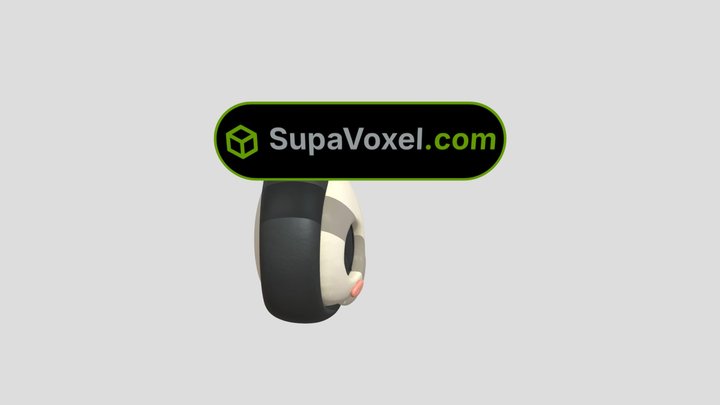
Cute Skull Toy. Source: one 2D reference image, generator: SupaVoxel ([supavoxel.com](https://supavoxel.com/?utm_source=sketchfab&utm_medium=ugc&utm_campaign=boduarte&utm_content=pool306)). Free to download and remix (CC-BY). How it was made: I dropped the reference image into SupaVoxel, waited abo
This design is hosted on Sketchfab. Its files download from there, under the licence shown.
| Licence | CC BY |
|---|---|
| Source | Sketchfab |
| Designer | Bo Duarte |
| Attribution | Bo Duarte on Sketchfab · CC-BY 4.0 (attribution required) · Attribution required |
| Tags | stl, images, cute, toy, obj, fbx, kawaii, ai, 3d-printing, roblox, 2d-to-3d, prisma |
Cute Skull Toy. Source: one 2D reference image, generator: SupaVoxel ([supavoxel.com](https://supavoxel.com/?utm_source=sketchfab&utm_medium=ugc&utm_campaign=boduarte&utm_content=pool306)). Free to download and remix (CC-BY).
How it was made: I dropped the reference image into SupaVoxel, waited about two minutes and exported the textured GLB (2K base color + normal + ORM baked in). No retopo, no manual UVs.
**Can I view STL files online?** Yes - the Sketchfab viewer on this page is exactly that; no install needed.
**Can a 3MF file be converted to STL?** Yes, slicers export 3MF as STL. This model already ships as STL and GLB, so there is nothing to convert.
The SupaVoxel badge above the model is a separate mesh - delete that node and you have the clean asset. GLB, FBX, OBJ and STL are all in the free download.
Publish your designs
Upload STL, 3MF or OBJ files from the app. Each upload is reviewed before it appears here, and designers keep 80% of every paid sale.