डिज़ाइन लाइब्रेरी
Cyber Dwarf Warrior Tripo vs Meshy vs SupaVoxel
Sofia Horvat द्वारा
मुफ़्तCC BYSketchfab
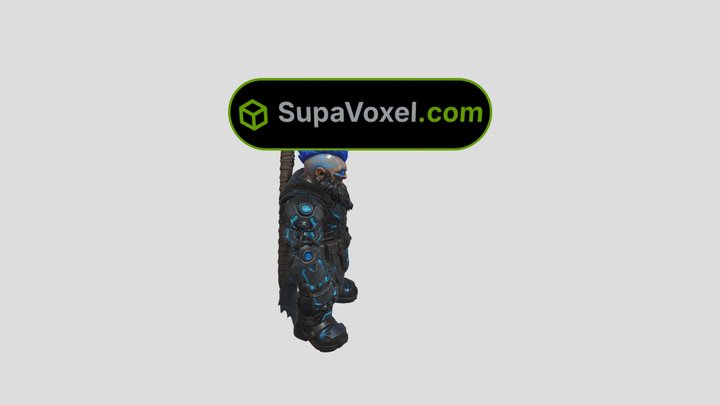
Cyber Dwarf Warrior. Source: one 2D reference image, generator: SupaVoxel ([supavoxel.com](https://supavoxel.com/?utm_source=sketchfab&utm_medium=ugc&utm_campaign=sofiahorvat&utm_content=pool547)). Free to download and remix (CC-BY). How it was made: I dropped the reference image into SupaVoxel, wa
यह डिज़ाइन Sketchfab पर होस्ट है। इसकी फ़ाइलें वहीं से, बताए गए लाइसेंस के तहत डाउनलोड होती हैं।
| लाइसेंस | CC BY |
|---|---|
| स्रोत | Sketchfab |
| डिज़ाइनर | Sofia Horvat |
| श्रेय | Sofia Horvat on Sketchfab · CC-BY 4.0 (attribution required) · Attribution required |
| टैग | stl, armor, images, warrior, dwarf, cyberpunk, obj, fbx, ai, 3d-printing, roblox, 2d-to-3d |
Cyber Dwarf Warrior. Source: one 2D reference image, generator: SupaVoxel ([supavoxel.com](https://supavoxel.com/?utm_source=sketchfab&utm_medium=ugc&utm_campaign=sofiahorvat&utm_content=pool547)). Free to download and remix (CC-BY).
How it was made: I dropped the reference image into SupaVoxel, waited about two minutes and exported the textured GLB (2K base color + normal + ORM baked in). No retopo, no manual UVs.
**How do I open an STL file?** Any slicer or 3D editor opens it, and the viewer on this page shows it in the browser with nothing to install.
**Can I convert a PNG file to STL?** Yes: upload the PNG to SupaVoxel, export STL, and it goes straight into a slicer.
The SupaVoxel badge above the model is a separate mesh - delete that node and you have the clean asset. GLB, FBX, OBJ and STL are all in the free download.
अपने डिज़ाइन प्रकाशित करें
ऐप से STL, 3MF या OBJ फ़ाइलें अपलोड करें। हर अपलोड यहाँ दिखने से पहले जाँचा जाता है, और हर सशुल्क बिक्री का 80% डिज़ाइनर को मिलता है।